Overview
The Outboard-EQ window is split into a header strip, an EQ display with band discs, a stage drawer underneath, and a meter sidebar on either side.
The Outboard-EQ window is split into a header strip, an EQ display with band discs, a stage drawer underneath, and a meter sidebar on either side. Everything you need to mix, master, or shape character with it lives in one screen.
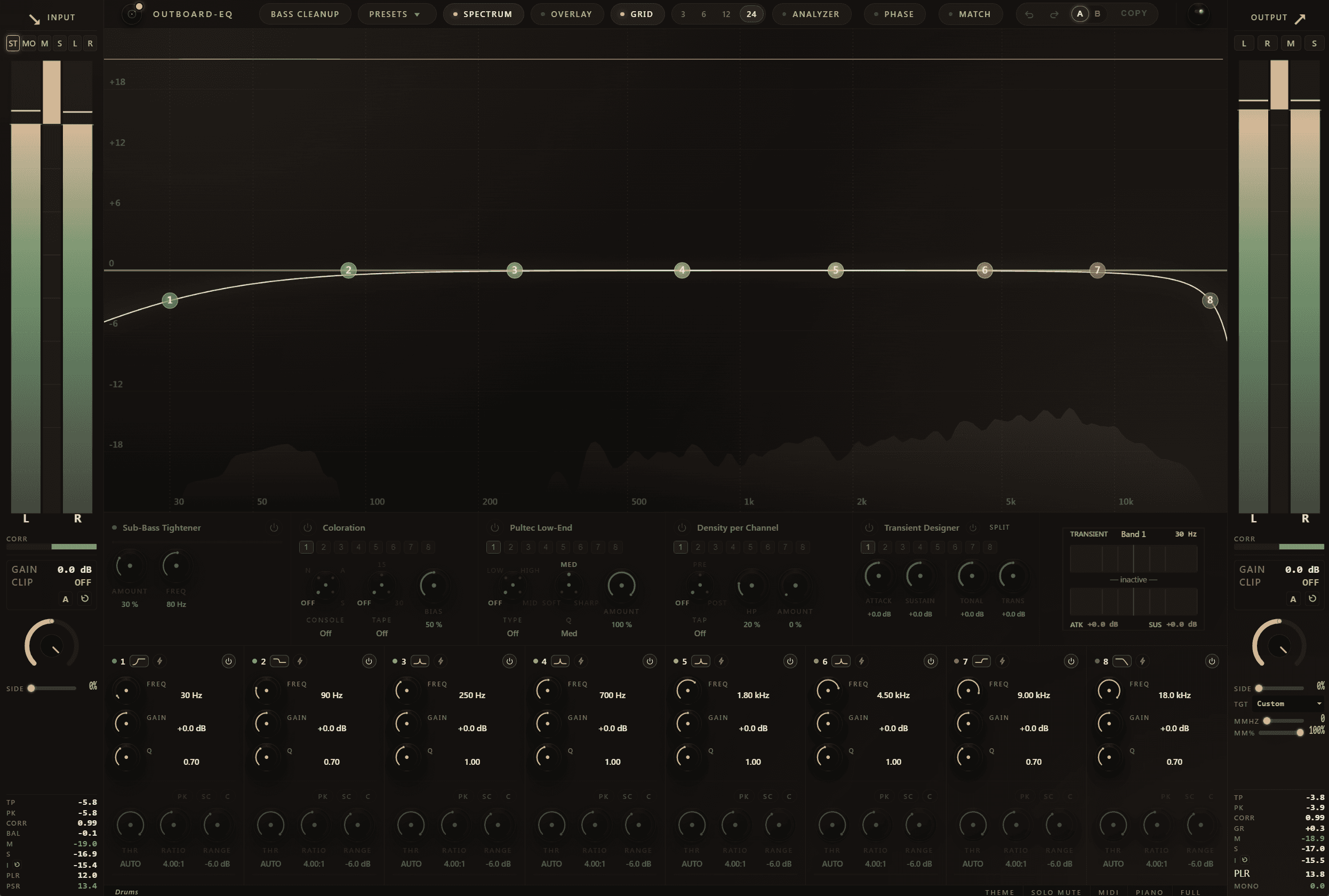
The header
 Reads left to right:
- Brand badge — also shows the active Dolby Atmos layout when running on a surround/Atmos bus.
- Macros — one-click multi-band moves like Bass Cleanup. See Macros.
- Presets — opens the picker with five sections (Instrument, Mixing, Mastering, Character, User). See Presets.
- Spectrum toggle — turns the analyzer overlay on or off.
- Overlays — pre / external spectrum, hardware-character glow, density column overlay.
- Grid / Y-range — ±3 / ±6 / ±12 / ±24 dB scaling for the display.
- Analyzer / Phase / Match popovers — deep settings for each engine.
- History — Undo, Redo, A/B compare and copy. See Undo, redo, A/B.
- Master Bypass — host-compatible LED switchplate (red / green).
The EQ display
The main canvas shows the combined EQ curve, the live spectrum analyzer (pre / post / external), the optional piano strip, and an interactive disc for each of the eight bands. Click anywhere to add a band, drag to move, scroll to change Q, double-click to solo. See EQ display for everything the canvas can do.
The stage drawer
Under the display sit the per-band stage cards: SubTight · Hardware Character (Op-Amp + Tape) · Pultec Low-End · Density · Transient Designer · SplitEQ. Click a band to load its cards, or hold Shift to broadcast a change across multiple bands.
The meter sidebars
- Right sidebar — output: true-peak, sample-peak, stereo correlation, gain reduction, L / R / M / S iso buttons, K-meter scale (Off / K-12 / K-14 / K-20), LUFS readout with streaming-target presets.
- Left sidebar — input: pre-EQ tap, L / R balance, optional Input Gain / Clip stage.
The footer
DAW track name, Solo-Mode pill (MuteOthers / BandpassListen), MIDI-learn status, Piano-strip toggle, Full-View pill (F11).