Overview

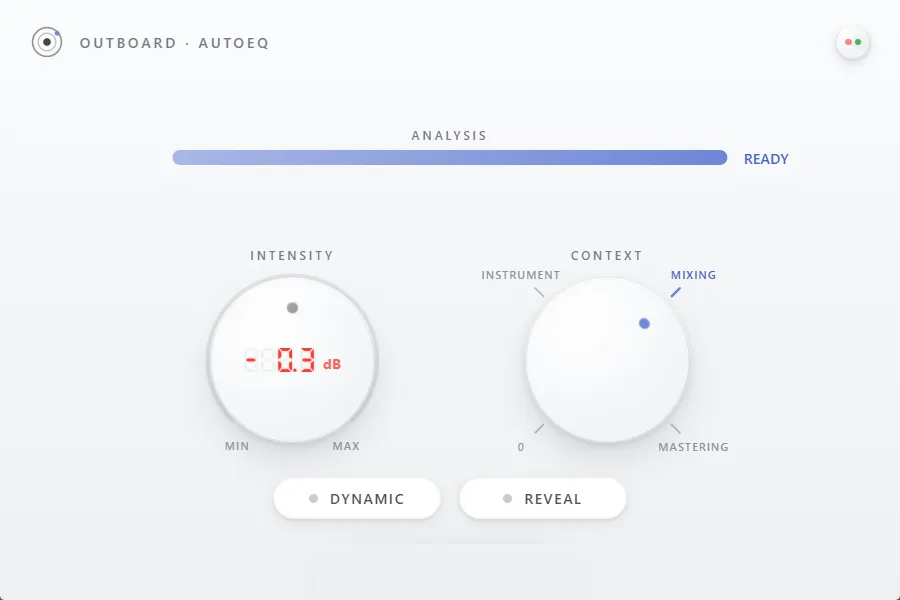
Play your material and press one of three buttons. Outboard-AutoEQ studies the incoming audio, spots where the frequency picture leans, and corrects it with a few carefully placed bands — the moves an experienced engineer would reach for first. From there everything stays in your hands: the Intensity knob takes the correction from a whisper to fully committed, the red LED readout tells you to the dB what changed, and the optional Dynamic and Reveal stages handle harsh moments and buried detail while the song plays.

€25Try free for 14 days

Windows & macOS · VST3, AU & CLAP

Outboard-AutoEQ plugin interface
One click, the right bands

01/Outboard-AutoEQ

One click, the right bands

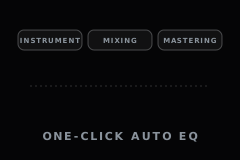
Hit Instrument, Mixing or Mastering while the track plays. The analyzer reads the material — its weight, its brightness, its low end — and places only the bands that genuinely help, using how finished productions sound in that context as its reference. No fixed preset curve, no thirty-band fingerprint: a few musical decisions, written as ordinary parameters you can see and undo.
Intensity — one knob for the whole move

02/Outboard-AutoEQ

Intensity — one knob for the whole move

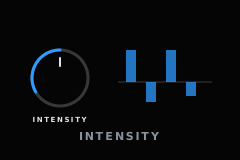
The whole correction hangs on one knob. Ease it back and the character of your original shows through with just a wash of polish; push it forward and the full correction lands. The proportions between the bands never shift — you choose how much, never re-decide what. A built-in stop keeps the range headroom-safe.

Dynamic — corrections that breathe

03/Outboard-AutoEQ

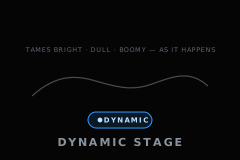
Dynamic — corrections that breathe

A static cut is always a compromise: right in the loudest chorus, too much everywhere else. With Dynamic engaged, the bands act only while the problem is audible — harshness is caught the moment it appears, and the EQ steps aside the moment it passes. The song keeps its life; only the rough edges are met.

Reveal — unmasking without a second track

04/Outboard-AutoEQ

Reveal — unmasking without a second track

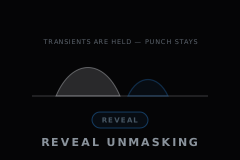
Dense arrangements bury detail: everything is loud, nothing is clear. Reveal watches where energy piles up and gives way on exactly those frequencies for a moment, letting the elements underneath breathe — an unmasking move borrowed from sidechain mixing, done here with nothing but the track itself. Drum punch stays protected throughout.

A mix-ready vocal target

05/Outboard-AutoEQ

A mix-ready vocal target

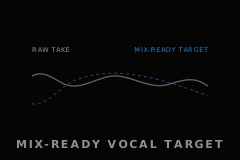
Solo voices are a special case — a curve that suits a full mix does a lone voice no favors. When Instrument mode hears an exposed vocal, it steers toward a dedicated target distilled from professionally produced vocal tracks, so a raw take lands where a produced lead vocal sits. The more certain the detection, the stronger the pull.

Also inside

Small plugin. No guesswork.

  • READY gate

    06

    READY gate

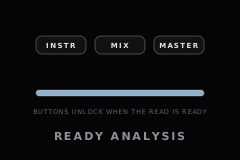
    Analysis takes a moment, and committing early would mean guessing. The context buttons stay dimmed until the plugin has heard enough — the bar fills, READY lights up, and only then do the buttons arm.

  • Live IN→OUT readout

    07

    Live IN→OUT readout

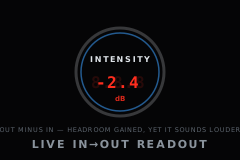
    The red seven-segment display inside the knob tracks the in-to-out level difference live. Louder is easy to mistake for better — the numbers keep the comparison honest.

  • Percussive low guard

    08

    Percussive low guard

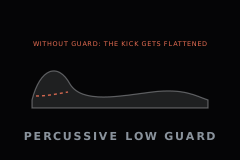
    Percussive material gets special protection: below 160 Hz, cuts are capped so the kick keeps its body. Neutral is never worth a flat low end.

Outboard-AutoEQ

Get Outboard-AutoEQ.

Hear your track settle in seconds — three buttons, one knob, and 14 days free to prove it on your own material.

€25Try free for 14 days

Windows & macOS · VST3, AU & CLAP

  • Secure checkout
  • Instant download
  • 14-day free trial
  • Free updates
  • pluginval validated
  • Visa
  • Mastercard
  • American Express
  • PayPal
  • Apple Pay
  • Google Pay

Secure payment, handled by PayPal