Outboard-Verb
Outboard-Verb is a stereo delay and reverb in one plugin — with a decay EQ that sets how long the tail rings at each frequency, a true-stereo network from two…
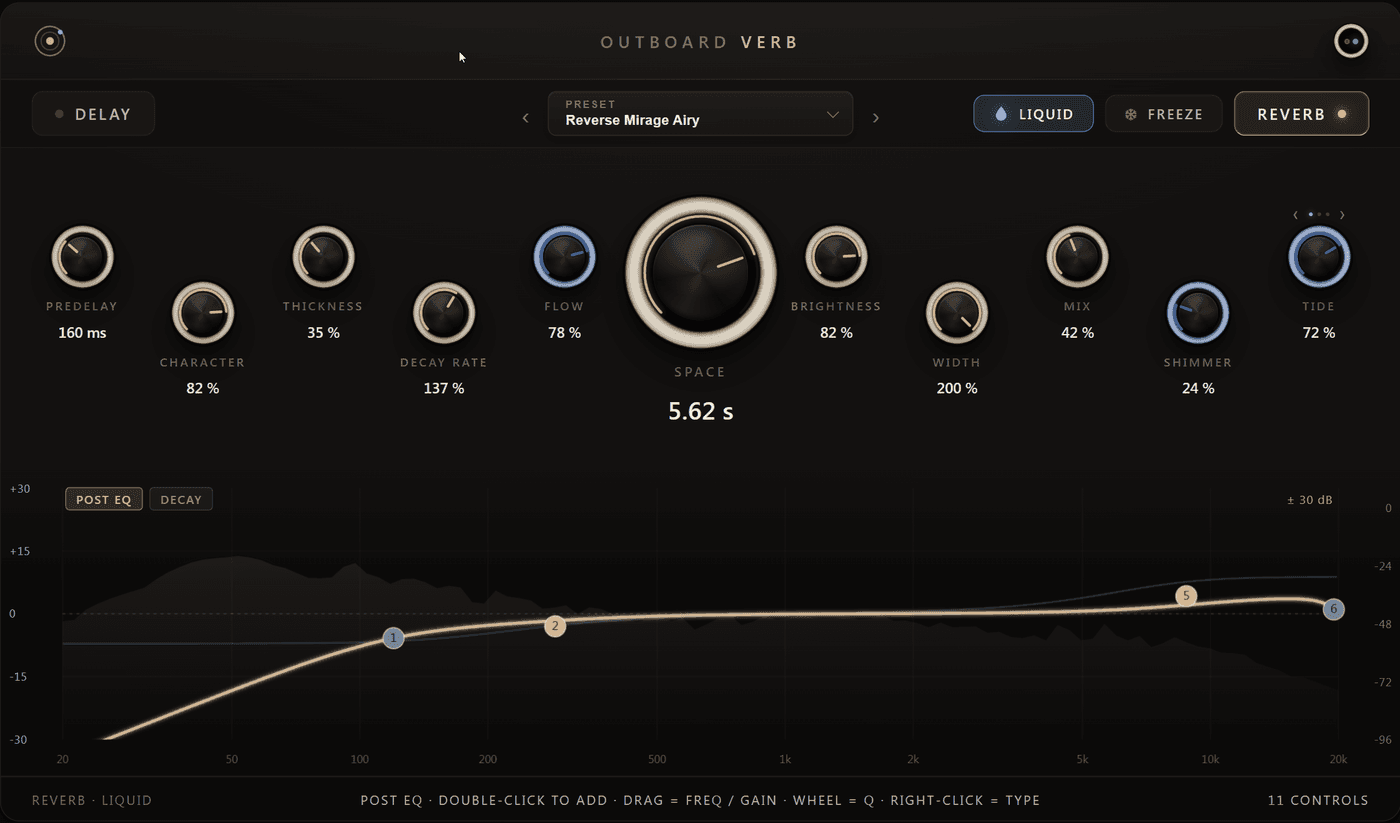
Outboard-Verb is a stereo delay and reverb in one plugin — with a decay EQ that sets how long the tail rings at each frequency, a true-stereo network from two independent structures, a drifting Liquid engine and a freeze that holds the tail indefinitely.
What it's for
Every reverb lets you set how loud the tail is. Outboard-Verb lets you set how long it lasts, and it lets you set that per frequency. Six bands multiply the decay time in their range — pull the highs down and a big room stops smearing the cymbals without getting any smaller; push the lows up and a small space gains weight it never had. That is the control that usually sends people reaching for an EQ after the fact, and it is the reason this plugin exists.
The delay and the reverb are not two plugins bolted together. Either runs on its own, both run at once with the delay feeding the reverb, and switching between those states crossfades rather than cutting — you can change your mind in the middle of a take.
What's inside
- Decay EQ — six bands that change how long the tail rings per frequency, not how loud it is. A band at 0.3× dies away in under a third of the time; one at 1.9× rings on nearly twice as long. Nothing changes level.
- Post EQ — a separate six-band equaliser on the wet path only, drawn over a live spectrum of the processed signal. The dry signal passes through untouched.
- True stereo — left and right run through two independent networks, so the tail is genuinely wide rather than a mono tail spread apart. It stays stable when the mix is checked in mono.
- The Liquid engine — a second character that drifts instead of standing still, with Flow for how much it moves, Shimmer for a harmonic sheen above the tail and Tide for a slow swell underneath it.
- Freeze — holds the current tail indefinitely while everything else stays live, so you can keep playing over it and keep shaping it with the EQs.
- The delay — two taps with an adjustable offset, ping-pong, feedback crossfeed, a darkening feedback tone and low/high cuts inside the loop so their effect accumulates with every repeat.
- Space and Predelay — a room from a tight 0.1 seconds to a cathedral-sized 20, with a measured gap before the tail that keeps the source in front of it.
- Presets — 540 factory presets in 20 categories: 420 reverb and Liquid, 60 delays and 60 that run delay into reverb, 120 of them built on the Liquid engine. Plus search, favourites, your own presets and a personal default that loads in every new instance.
Getting started
- Load Outboard-Verb on a send bus with Mix at 100 %, or straight on a channel around 20–30 %.
- Set Space for the size you want and Predelay to around 20–40 ms so the source stays clear.
- Switch the display to the DECAY tab and pull the top band down. The room keeps its size, but the top of the mix opens up — this is the move that defines the plugin.
- Try LIQUID on anything sustained and bring Flow to about 50 %.
- Switch DELAY on as well to hear the repeats bloom into the room.
Formats and platforms
Windows and macOS, as VST3, AU (macOS) and CLAP. The macOS package is signed and notarised. There is a full 14-day trial — nothing is limited, and no purchase is needed to start.
Outboard — Help
User manuals and guides for the Outboard plugins. Choose your plugin below, or dive straight into the Outboard-EQ manual.
Outboard PalmML
Outboard PalmML is a hybrid guitar instrument — 400 real palm-muted multiscale seven-string recordings excite a note-locked Liquid physical-modeling layer…